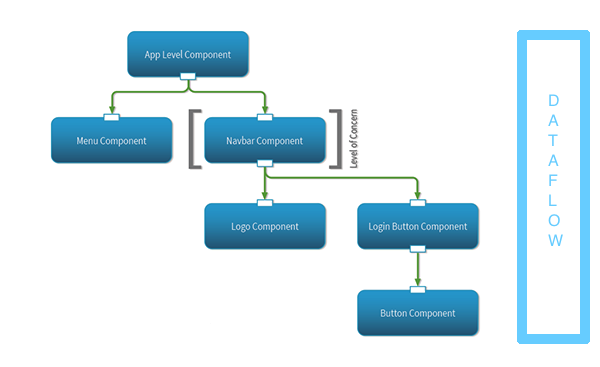
React.JS is Javascript Framework. the easiest way to define is it is a collection of component talking with each other and sending data back and forth….
lets see some important parts of React :-
1> Component -> component in react can be defined as a class or a function
export default class Maincontainer extends Component {}
// Main container component defined as a class
Components positions are determined on type of app :-
@>Container Components fetch and process the data to transfer to presentational components. they can have data transfer to multiple presentational component depending on the condition
@> Presentational Components are responsible for the JSX(HTML ) format and placing data received from Container at right place so it can draw HTML for the browser which end user is going to interact.
2> STATE – In order to notify react to show changes on the DOM we use State – This.SetState() is used to change the state and re-render the DOM so user can see the result of its action on the browser. It is easy way of DOM manipulation.State can also hold Temporary data in order to manipulate DOM.
3>Props – It is another way of transferring data from one component to another . Props is transfer from component to another can be called inside another component with different name . Props is refer as
this.props.(prop name ).
4>JSX – it is XML syntax used in REACT, it is one of easiest things to understand is react . it looks very similar to HTML .
as you can see in above code React code was integrated in JSX using {} and rest of it look like HTML.
5> REFS – another cool feature in React is using refs, In javascript we refer to elements in DOM by using syntax such as
document.querySelector(“.myclass”)
since React has its own virtual DOM we cant use document.query Selector directly if we are not in same component where we defined the element but we can refer to the element by using refs
<img ref=”olives” src=”https://www.pizzahut.com/assets/w/evo_pb/sidebar/icon_topping_Olive_black.png”/>
and than we can call it
this.refs.olives

 abdul blogs
