PHP is the most popular server side scripting language on the web. PHP stands for hypertext preprocessor.it scripts are executed on server and result is sent to browser as a plain HTML.
Some of the task that can be done with PHP –
You can generate pages and files dynamically.
You can create, open, read, write and close files on the server.
You can collect data from a web form such as user information, email, phone no, etc.
You can send emails to the users of your website.
You can send and receive cookies to track the visitor of your website.
You can store, delete, and modify information in your database.
You can restrict unauthorized access to your website.
You can encrypt data for safe transmission over internet.
Advantage of PHP over other language ->
Easy to learn – PHP is easy to learn and use as compare to other scripting languages
OpenSource – it is open source and free language which is maintained by variety of developers which make it source code freely available to download and use.
Platform Support – PHP runs and supports various platform such as microsoft windows, linux, Mac Os and is also compatible with all servers used today such as Apache, IIS etc
Performance – PHP scripts are faster as compare to script written in other language such as Ruby,Python, Java,Asp etc.
Community – PHP has a vast community of support which make finding help and documentation easier
React is JavaScript library created by facebook for creating the best user interface . some of the parts of react are given below
1> Virtual Dom – An in-memory representation of the DOM and a reconciliation algorithm that is at the heart of React’s performance
2>State – State is the data that describes what your component renders as its content. You simply update the state and React manages the rest of the process that leads to the view getting updated
3>Components – all things you build in react is divided in components .By breaking down UIs into functional and atomic pieces, you can compose together interfaces that scale well.
4>JSX -> It is like an HTML version of react render component .
5>Props -> Components fetch data and passed to other components using props
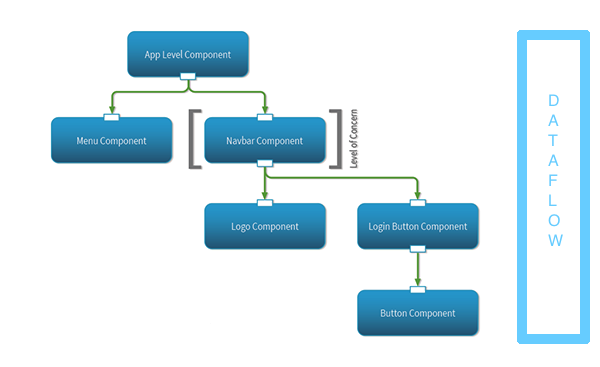
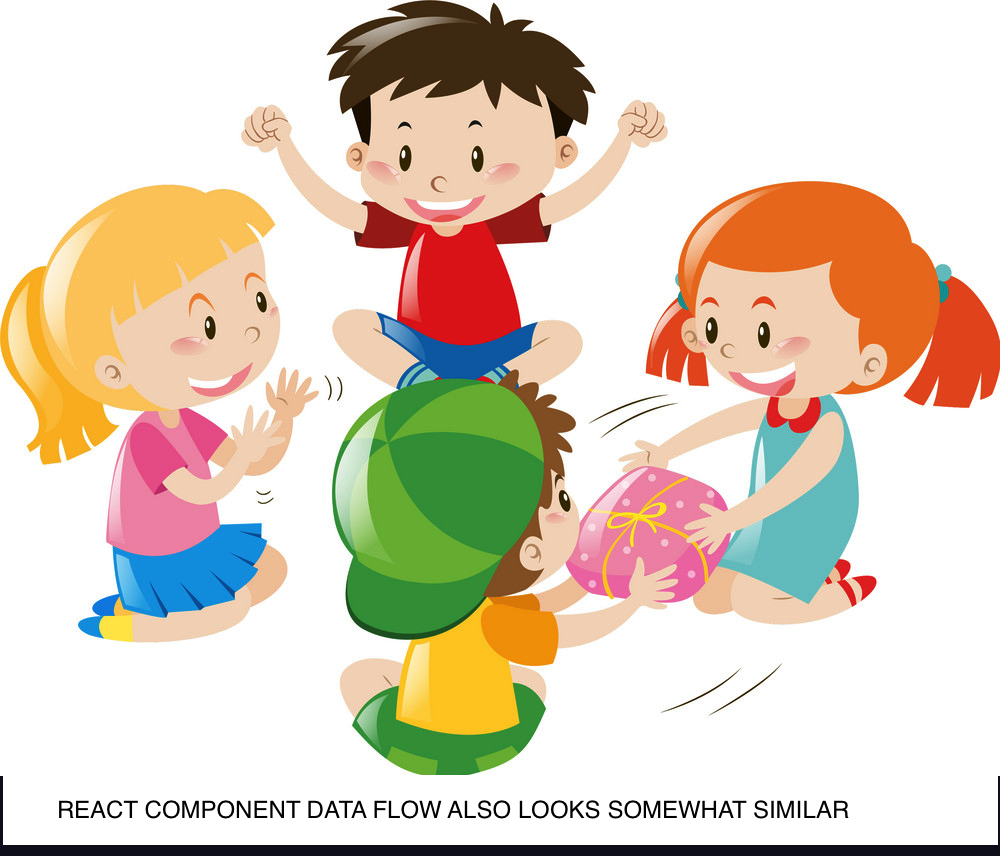
Data flow between Container Components and Presentational Components Up & Down.
React.JS is Javascript Framework. the easiest way to define is it is a collection of component talking with each other and sending data back and forth….
lets see some important parts of React :-
1> Component -> component in react can be defined as a class or a function
export default class Maincontainer extends Component {}
// Main container component defined as a class
Components positions are determined on type of app :-
@>Container Components fetch and process the data to transfer to presentational components. they can have data transfer to multiple presentational component depending on the condition
@> Presentational Components are responsible for the JSX(HTML ) format and placing data received from Container at right place so it can draw HTML for the browser which end user is going to interact.
2> STATE – In order to notify react to show changes on the DOM we use State – This.SetState() is used to change the state and re-render the DOM so user can see the result of its action on the browser. It is easy way of DOM manipulation.State can also hold Temporary data in order to manipulate DOM.
3>Props – It is another way of transferring data from one component to another . Props is transfer from component to another can be called inside another component with different name . Props is refer as
this.props.(prop name ).
4>JSX – it is XML syntax used in REACT, it is one of easiest things to understand is react . it looks very similar to HTML .
as you can see in above code React code was integrated in JSX using {} and rest of it look like HTML.
5> REFS – another cool feature in React is using refs, In javascript we refer to elements in DOM by using syntax such as
document.querySelector(“.myclass”)
since React has its own virtual DOM we cant use document.query Selector directly if we are not in same component where we defined the element but we can refer to the element by using refs
GOOGLE, FACEBOOK, YOUTUBE and other sites which claim to be free needs data.They need data so they can share it with their advertisers or any business affiliate which will use this data to target the ad/commercial
consider this scenario i was searching for a car (a particular car ) on google , after i stop looking for it i visited site like facebook and i realized i was getting ad from car sellers , auto traders . In short google and every site knew what i was looking for and they throw me the Ads accordingly.
Now, the question is how they know what i was looking for , There are various way they can know about it, but we are going to discuss some common method for it
-> Cookie – it is the file which sent to your browser from webserver and when you visit the server again the server identify you using that cookie file and reloads the specific information as per the cookies
cookies are basically of 2 types – >
1> Session Cookies – this cookies are stored to authorize user for a particular session. Usually these cookies don’t collect any personal information but they expire your access after certain period of time , like banks and other financial institution. These session cookies help to keep the user data secure by limiting the access upto a certain period of time. after expiration of cookies you have to enter the login information again to continue. or you get an error ‘SESSION EXPIRED ‘
2> Persistent Cookie – These cookies are stored on your harddrive for a long period of time until you delete it. these cookies are stored to track the information about the user browsing habits and what they are looking for and other information . These cookies help the server to sent you targeted ads and customize the website as per your browsing habits .
3> Super Cookies – This are cookies which are hard to delete, these cookies are like a virus which is hidden in various parts of your browser, they are hard to detect & delete because they don’t store in same place. These cookies identify the user and track the user browser history and they are permanent . they are difficult to identify because they are stored inside various parts of Webpage such as flash player, any other player , normal cookies folder and may be hiding in some other places , once you delete it from one place it gets copied back from other place , it is like cockroach difficult to get rid of.
Who uses it ?
Verizon was fined $1.35 million in May 2016 for using super cookies that let websites track Internet users without their knowledge
IP Address –
Your IP address helps the server to know where you are and in return server will send you classified ads and other targeted content on the basis of IP address. Hiding you ip address will hide your activity from web browser and server. you can use VPN which assigns you a fake ip address to access the websites so they don’t track you in realtime. They also allow you to access content which may be restricted in your region .
Browser Fingerprint Tracking –
Every device has some unique identification. A browser provides a unique information about the computer to the server and that helps the server to identify the user and throw targeted ads or other miscellaneous data to the browser .
How to be Safe –
Using VPN service – this can help you to hide your IP address and make your browsing service safe and untraceable , but they not free especially the good ones and they may slow your browsing experience .
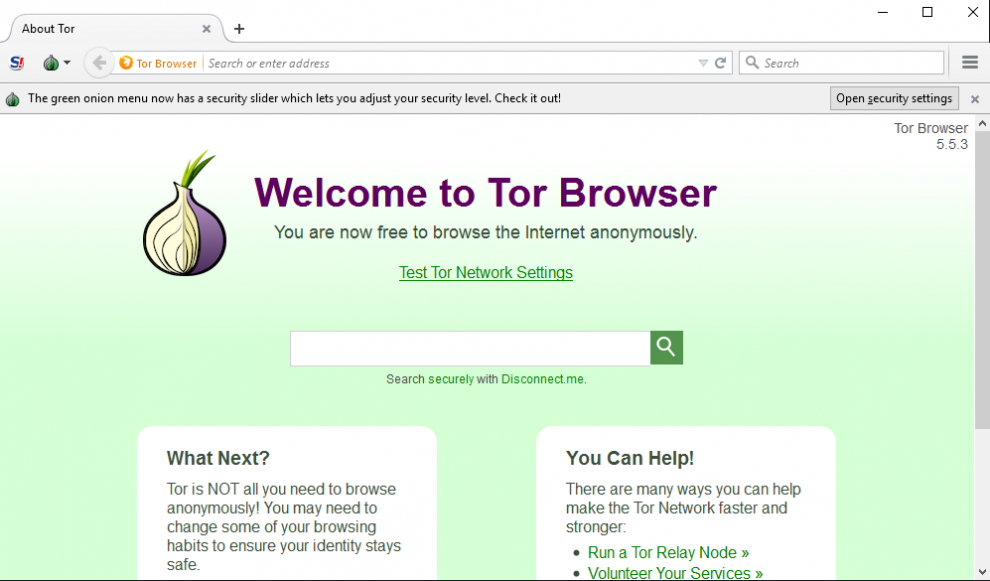
Internet Browser – Using TOR internet browser can hide your identity while visiting websites , it distribute your request among its peer network before send it to server, this hide you from server and helps you surf the web without being tracked
Clear Your browser Data – You can clear your browser data or surf in Incognito mode to avoid your browser to store tracking information.
Thank you for reading my Blog. I hope this tips will help you enjoy safe browsing experience on internet.
When it comes to websites/webapps they are primarily divided in two parts :-
Front end and Back end.
Front end as name suggests it is front part of website thats what the user sees and interact with for example a car with beautiful exterior paint and leather finish inside the cabin. Why frontend is defined separately and why it is so important ?
Imagine you go to a e-commerce website to purchase an item and suddenly after selecting the item you were not able to find the buy button because it was hiding somewhere in the text and you gave up because you were getting late for work and you don’t have time to mess with it so you went on another ecommerce website and buy from there even the same item was few dollars more expensive . The other website got the business because its front end was more easy to navigate as compare to previous website .
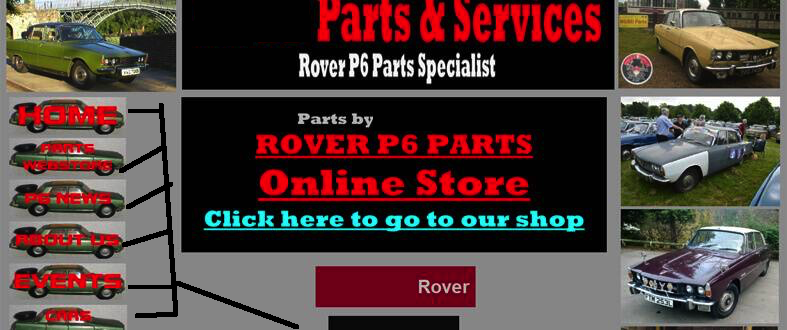
bad design frontend example
So as you see in above example the front end is responsible for feel and look of website.
A good Front end of website should be fluid, easy to interact and should be able to make users feel that it is the most user friendly website on the internet .
A front end user interface should use the style and colors which is in the flow of the website it should not used contrast colors which make the process of user interaction a nightmare.
USE OF CONTRAST COLOR HAS MAKE THE NAVIGATION OF WEBSITE DIFFICULT AND ALMOST IMPOSSIBLE TO READ.
some times frontend website has background music and videos which play as soon as website start loading in browser . these websites don’t ask for permission from user to play music or to play videos and sometimes they don’t even have option to pause the background music or video. This is known as bad practice because a user can be viewing website in a quiet environment where he dont want to disturb anyone such as library. A website which plays videos without confirming with user is also not good practice because user may have limited bandwith(limited data plan with his service provider) and he/her would waste his data on video which he/her even don’t ask for it .
Website should be mobile browser compatible what does it mean ?
It means that your website will not only be used by browser on big screen pc but will also be used by small screen mobile devices . the mobile devices can be a phone , media player which has inbuilt browser or can also be a portable game console . This devices have custom processor which is different from desktop processor, have different screen sizes and runs on different operating system. Your website should be tested how it will look on mobile browser before it is deployed on server . this is very crucial step because many people use the mobile devices to surf the web since it is easier and most of the time they have device with them .
THIS WEBSITE LOOKS GREAT ON A BIG SCREEN PC THE SAME WEBSITE ON MY IPHONE X IT BECOMES DIFFICULT TO READ AND NAVIGATE.
So to summarize the Front end will be responsible for a website user interaction and therefore it should consider the following points :-
->Visible Buttons and Link – The link and button should be easily visible and easy to click.
-> Minimalistic Design and Logical Flow – The design of website should be simple and adhere to the content of website. it should help to make the website easier to understand
-> Fast and responsive – The website should load as fast as possible and should be responsive this can be achieved by avoiding or minimizing the use of animations,videos and unnecessary styling
HOW DOES A PROGRAMMING LANGUAGE LOOKS AND HOW SIMPLE IT CAN BE WHEN WE DIVIDE IN TO ITS BUILDING BLOCKS , THE BUILDING BLOCKS ARE LIKE BUILDING MATERIAL FOR HOUSE , YOU HAVE BRICKS, CEMENT, SHINGLES , PAINT , GRAVEL AND SOME MORE . EACH HAS ITS OWN VALUE TOWARDS THE FORMATION OF HOUSE THEY LOOK SMALL WHEN THEY HAVE BEEN LOOKED INDIVIDUALLY BUT WHEN YOU COMBINE THEM THEY BUILD A BIG EXPENSIVE HOUSE SAME GOES WITH PROGRAMMING LANGUAGE
1> VARIABLES = yes if you thinking about x and y alphabets thats what i am talking about here x and y hold values and change as the per the situation they are dynamic and therefore used in various parts in programming language it can be any other alphabets
2> DATATYPES = different datatypes have different method to operate like alphabets (strings)have upper case and downcase method , integer add in different way compare to strings, there also floats which is integer and there is also boolean operator which gives you true or false
3> collectable = Array – this are like bags where you store multiple values , for example
an array of cars will give you different models of cars, and an array of fruits will give different kinds of fruit . An array has a sign of bracket x = []
4> loops = loop is way to tell to computer how much time you have to repeat a given instruction it can be repeat i need to take medicine till i get cured or keep asking the password to user until he enters the right password.
5> Conditions – this is IF and ELSE , what to do if condition is true and what not to do if condition is false. if apple is available buy it else buy oranges (if and else example )
This are some programming fundamentals concept to get you started in long journey of programming






 abdul blogs
